
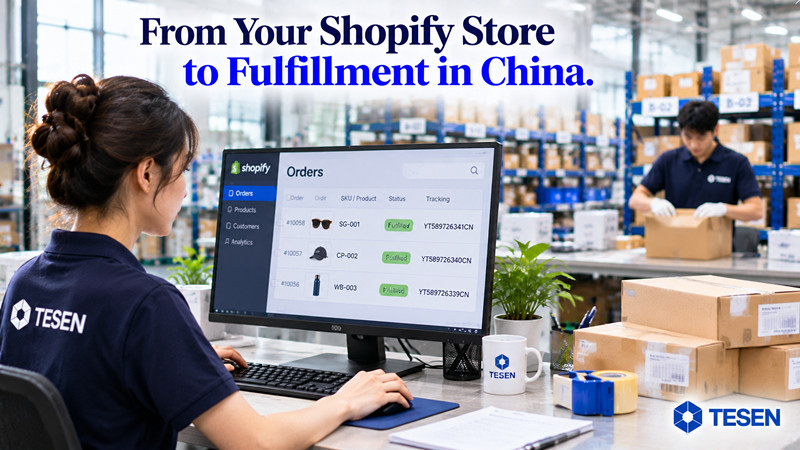
Connecting a Shopify store to an ecommerce fulfillment partner sounds straightforward.
Install an app.
Authorize the connection.
Import customer orders.
Start shipping.
But successful Shopify fulfillment integration involves much more than transferring orders from one system to another.
As ecommerce brands grow, their Shopify stores and fulfillment operations continuously generate new information.
Customers change delivery addresses. Inventory levels change. Orders are canceled. Products become unavailable. Parcels are dispatched, and tracking information needs to return to the storefront.
If these updates are not communicated correctly, Shopify and the fulfillment warehouse may operate with different information.
The result can be incorrect inventory availability, fulfillment errors, delayed orders, and unnecessary customer service work.
A reliable Shopify fulfillment integration is not simply about connecting two systems. It is about keeping order, inventory, and fulfillment information consistent throughout the operational process.
This guide explains what data should synchronize between Shopify and a fulfillment partner, which system should control each type of information, and what brands should verify before choosing a 3PL integration.
A basic Shopify integration transfers customer orders into a fulfillment system.
This reduces manual order entry and helps the warehouse receive orders more efficiently.
However, successful order import does not guarantee successful fulfillment integration.
Consider a typical situation:
A customer places an order through Shopify.
The order is automatically imported into the fulfillment system.
The warehouse prepares the order and dispatches the parcel.
But the tracking number does not return to Shopify.
The warehouse has completed its work, but the customer's order information remains incomplete.
Another example:
A customer changes their delivery address after placing an order.
Shopify displays the new address, but the fulfillment warehouse still holds the original information.
Both systems are connected, yet they are no longer working with the same order details.
A more complete integration should consider the entire information flow:
Shopify Order → Fulfillment System → Inventory Allocation → Warehouse Processing → Shipment Confirmation → Tracking Synchronization → Shopify
The objective is to maintain a consistent operational record from checkout through delivery.
Order synchronization is the foundation of Shopify fulfillment integration.
When a customer completes checkout, the fulfillment partner needs enough information to identify the order, select the correct products, prepare the parcel, and arrange delivery.
Common order information includes:
Shopify order number or unique order ID
Product SKU and variant identifiers
Ordered quantities
Customer name
Delivery address
Contact information where required
Selected shipping service or shipping-method mapping
Relevant order notes
Special packaging or fulfillment instructions
Depending on the business model, additional information may include:
Gift messages
Bundle configurations
Product customization details
Promotional inserts
Customs-related product information
The important question is not simply whether an order appears in the fulfillment system.
It is whether the warehouse receives all the information needed to process that order correctly.
A customer places an order containing three products.
Shopify records:
| Product | SKU | Quantity |
|---|---|---|
| Product A | SKU-A | 1 |
| Product B | SKU-B | 2 |
| Product C | SKU-C | 1 |
If the fulfillment system imports only two of the three products, the order has technically synchronized, but the information is incomplete.
The warehouse may prepare an incorrect shipment unless the issue is identified.
A reliable integration should therefore verify not only order import success but also product-level data accuracy.
SKU mapping is one of the most important foundations of ecommerce fulfillment integration.
Consider a Shopify clothing store selling four variants:
Black / Small
Black / Medium
Black / Large
White / Medium
Each variant represents a separate inventory item.
Shopify may identify these variants using its own product and variant IDs, while the fulfillment warehouse uses internal SKU codes.
If the two systems do not have a reliable mapping, several problems can occur:
Products cannot be recognized during order import.
The wrong variant may be selected.
Inventory updates may be associated with the wrong product.
Manual corrections may become necessary.
Orders may be delayed because the warehouse cannot identify the required item.
Some Shopify stores sell bundles or kits that contain multiple physical components.
For example:
Shopify Product: Starter Kit
Warehouse components:
Product A
Accessory B
Printed Insert C
The storefront may display one commercial product, while the warehouse needs to pick three separate components.
The integration must support an agreed method for translating the Shopify product into the required warehouse picking configuration.
Not every app handles bundles and kits in the same way.
Brands should confirm the supported functionality before assuming that a standard SKU connection will handle every product structure.
The principle is straightforward:
Every product or variant sold through Shopify must map reliably to the inventory used to fulfill it.
Inventory synchronization is more complicated than copying a quantity from one platform to another.
Before connecting Shopify to a fulfillment partner, brands should establish which system is responsible for maintaining the relevant inventory information.
For products physically stored at a 3PL warehouse, the warehouse management system may be the source of actual stock information.
Shopify then needs an appropriate quantity for storefront availability and order allocation.
Consider this example:
| Inventory information | Quantity |
|---|---|
| Physical warehouse inventory | 350 |
| Inventory reserved for existing orders | 20 |
| Inventory on hold | 10 |
| Available inventory | 320 |
| Shopify displayed inventory | 350 |
If Shopify continues displaying 350 units when only 320 are available for new orders, the store may accept orders that the warehouse cannot fulfill from available stock.
The issue is not necessarily insufficient inventory.
It is inconsistent inventory information.
Before enabling inventory synchronization, clarify:
Which system maintains the authoritative stock record?
Does Shopify receive available inventory or total physical inventory?
Are reserved and held units excluded?
How frequently are inventory changes synchronized?
How are multiple warehouse locations handled?
What happens if an inventory update fails?
How are discrepancies reconciled?
It is also important to distinguish internal warehouse inventory statuses from the quantity exposed to Shopify for selling.
Not every internal inventory category needs to appear in the storefront.
The objective is to ensure that the quantity Shopify uses for order acceptance reflects the agreed inventory rules.
A successful initial connection does not prove that inventory updates will remain accurate.
Brands should test scenarios such as:
New inventory received
An order reserves stock
An order is canceled
A product becomes unavailable
Inventory is adjusted after a physical count
A SKU is placed on quality-control hold
The integration should behave consistently with the agreed inventory-management process.
Customer orders can change after checkout.
For example:
A customer places an order at 10:00.
The fulfillment system imports it at 10:01.
At 10:05, the customer requests a different delivery address.
The Shopify team updates the order.
But the warehouse has already received the original address.
Which address will the warehouse use?
The answer depends on whether the change is successfully communicated and accepted before the relevant fulfillment stage.
The same issue applies to:
Address changes
Product changes
Quantity changes
Shipping-method changes
Special fulfillment instructions
Order holds
An integration should have a defined process for handling order modifications.
Not every change can be applied automatically.
For example, an address update may be straightforward before picking begins but difficult after a shipping label has been generated or a parcel has been dispatched.
Brands should understand which changes can be synchronized automatically and which require direct confirmation from the fulfillment partner.
Updating an order in Shopify does not automatically guarantee that an order already being processed by the warehouse has been updated.
Order cancellation deserves particular attention.
Imagine a customer cancels an order.
Shopify records the cancellation.
However, the warehouse has already started preparing the parcel.
If the cancellation request is not communicated correctly, the order may still be shipped.
This can create unnecessary costs involving:
Product expenses
Fulfillment fees
Shipping charges
Refunds
Inventory reconciliation
Customer communication
A reliable process should distinguish between a cancellation request and a confirmed operational cancellation.
A practical workflow looks like this:
Customer Requests Cancellation → Shopify Records Request → Fulfillment System Receives Request → Warehouse Checks Processing Stage → Cancellation Confirmed or Rejected → Status Updated
The key question is:
Has the warehouse actually stopped fulfillment, or has Shopify only recorded the customer's cancellation request?
These are two different events.
Brands should confirm how cancellation requests are handled at different stages, including before picking, during packing, and after dispatch.
An order may spend time inside the fulfillment operation before it is shipped.
During this period, the brand may need to know whether the order has been:
Received by the fulfillment system
Accepted for processing
Waiting for inventory
Placed on hold
Allocated inventory
Prepared for fulfillment
Dispatched
Delayed by an operational exception
Not every fulfillment system uses the same status terminology.
Shopify's native order and fulfillment statuses may also differ from a warehouse's internal workflow.
That is acceptable if the integration provides enough information for the merchant to understand what is happening.
The problem occurs when an order disappears into the fulfillment system and the next visible update is a tracking number.
A useful integration should make important fulfillment milestones accessible through Shopify, the partner's system, or an agreed reporting process.
This helps brands identify delays earlier and reduces the need for repeated manual inquiries.
Tracking synchronization is one of the clearest examples of why fulfillment integration should work across systems.
Order information travels from Shopify to the warehouse.
After dispatch, shipment information should return.
The intended flow is:
Warehouse Dispatch → Tracking Number Generated → Fulfillment System → Shopify Fulfillment Record → Customer Notification
Relevant shipment information may include:
Tracking number
Carrier
Tracking URL
Shipment reference
Fulfillment or parcel information
For orders split into multiple parcels, tracking details may need to be associated with the correct fulfillment and products.
A common problem occurs when the warehouse successfully ships a parcel but the tracking information is not reflected in Shopify.
The physical operation is complete.
The customer-facing information is not.
This can create unnecessary customer service inquiries even when the parcel is moving normally.
For Shopify brands, automatic tracking synchronization is therefore an important integration capability to verify.
Most integration demonstrations focus on successful orders.
An order arrives.
The warehouse processes it.
Tracking returns.
Everything appears to work.
But growing ecommerce brands also need to understand how the integration handles exceptions.
Examples include:
SKU Unavailable
The warehouse cannot allocate the required inventory.
Address Problem
The delivery information is incomplete or invalid.
QC Hold
The required inventory is not yet approved for fulfillment.
SKU Mapping Error
The fulfillment system cannot identify the ordered product.
Packaging Shortage
A required branded packaging component is unavailable.
Order Change Conflict
Shopify and the warehouse contain different order instructions.
Not every exception needs to appear as a native Shopify order status.
Some may be recorded in the fulfillment partner's system, communicated through notifications, or escalated directly to the merchant.
What matters is that exceptions do not remain invisible.
A practical exception-handling process should include:
Exception identified.
Affected order or SKU flagged.
Reason recorded.
Responsible team notified.
Corrective action agreed.
Fulfillment resumed or the issue resolved.
The objective is not to automate every decision.
It is to make sure automation does not hide orders requiring human attention.
Not every type of information should move in both directions.
For example, Shopify may be the primary source of customer order information.
The fulfillment system may be the source of warehouse inventory updates and shipment tracking.
Other events may require requests, confirmations, or two-way communication.
A practical integration review should document four things for each data type:
Data type: What information is exchanged?
Direction: Which system sends it and which receives it?
Trigger: What event causes the update?
Failure handling: What happens if the update does not arrive or cannot be processed?
| Data type | Typical direction | Important consideration |
|---|---|---|
| Order information | Shopify → Fulfillment system | Complete and accurate order import |
| SKU mapping | Shared configuration | Matching product identities |
| Inventory quantity | Fulfillment system → Shopify | Correct available quantity |
| Order changes | Shopify → Fulfillment system | Whether changes can still be applied |
| Cancellation | Request and confirmation | Whether warehouse processing actually stops |
| Fulfillment progress | Fulfillment system → Merchant | Clear operational status |
| Tracking information | Fulfillment system → Shopify | Correct shipment and carrier details |
| Exceptions | Fulfillment system → Merchant | Visible reason and responsible action |
These are common integration patterns, not guarantees that every Shopify app supports every workflow.
The actual capabilities should be verified with the fulfillment partner.
Even well-designed integrations can experience problems.
An update may be delayed.
An API request may fail.
A product identifier may not match.
An order may be imported twice.
An inventory update may be rejected.
For this reason, brands should ask how their fulfillment partner detects and resolves integration failures.
Useful controls include:
Synchronization error logs
Duplicate-order prevention
Failed-update notifications
Retry procedures
Inventory reconciliation
Manual correction processes
Clear responsibility for resolving data mismatches
Brands should also understand how quickly an integration issue is identified and who is responsible for resolving it.
The goal is not to assume technology will never fail.
It is to prevent a small synchronization problem from becoming a repeated fulfillment disruption.
Before launching a Shopify fulfillment integration, brands should test real operational scenarios rather than relying only on a successful initial connection.
A practical testing checklist includes:
Place a test order.
Verify that all products and quantities arrive correctly.
Confirm customer and delivery information.
Check shipping-method mapping.
Test different product variants.
Confirm that warehouse SKUs match Shopify products.
Test bundles or kits if applicable.
Receive new stock.
Adjust inventory quantities.
Check whether available stock updates correctly.
Verify the behavior of reserved or held inventory.
Test an address modification.
Test a quantity or product change where supported.
Confirm how changes are handled after processing begins.
Cancel an order before warehouse processing.
Confirm whether the warehouse receives the request.
Verify that the operational status is updated.
Dispatch a test order.
Verify that the tracking number and carrier return to the correct Shopify order.
Test an unavailable SKU.
Test an incorrect address.
Confirm how exceptions are reported and resolved.
This process helps identify integration limitations before they affect real customers.
Before selecting a fulfillment provider, do not stop at asking:
Do you integrate with Shopify?
Ask more specific questions.
Order Synchronization
Do orders import automatically?
Which order fields and instructions are supported?
How are duplicate orders prevented?
SKU Management
How are Shopify variants mapped to warehouse SKUs?
Are bundles and kits supported?
How are mapping errors identified?
Inventory
Which system controls inventory quantities?
Does the integration synchronize available stock?
How frequently are updates processed?
How are inventory discrepancies handled?
Order Changes
Can address changes be communicated after import?
How are order cancellations handled?
Can orders be placed on hold?
Fulfillment and Tracking
What fulfillment statuses can merchants access?
Are tracking numbers returned automatically?
How are split shipments handled?
Exceptions and Technical Support
How are unavailable SKUs and other exceptions reported?
Are synchronization failures logged?
Who is responsible for investigating failed updates?
What support is available when integration problems occur?
These questions provide a much more meaningful evaluation than simply confirming that a Shopify app exists.
TESEN is a China-based Ecommerce Supply Chain & Fulfillment Partner for Shopify and DTC brands.
Our core focus is ecommerce fulfillment, supported by China sourcing, supplier management, quality control, inventory receiving and storage, custom packaging, and international shipping.
Through the TESEN Shopify app, brands can connect their Shopify store with our fulfillment system to support automatic order synchronization and tracking information updates.
For brands setting up the integration, the TESEN warehouse address also needs to be configured correctly in Shopify under the designated fulfillment location, PRODROP.
The broader fulfillment operation may involve:
Supplier inventory receiving
SKU identification and management
Quality control coordination
Inventory storage
Custom packaging and kitting
Order picking and packing
International shipping
Tracking information updates
The purpose of integration is to connect the information in the Shopify storefront with the inventory and order-processing activities taking place inside the fulfillment operation.
However, integration capabilities should be evaluated individually.
Brands should confirm the supported inventory synchronization rules, order modification procedures, cancellation handling, fulfillment statuses, and exception-management process for their specific setup.
Technology should support operational accuracy, not simply reduce the number of times someone needs to copy an order manually.
If your Shopify or DTC brand is evaluating a China-based fulfillment partner, TESEN can help review your integration and operational requirements.
Useful information includes:
Shopify store URL
Number of active SKUs
Average daily order volume
Main destination markets
Current inventory arrangements
Packaging requirements
Any special order-processing or integration requirements
These details help establish the appropriate fulfillment workflow.
Learn more about TESEN: https://www.tesenscm.com
Shopify fulfillment integration involves more than importing customer orders.
Order information must include accurate products, variants, quantities, and delivery instructions.
SKU mapping connects Shopify products with physical warehouse inventory.
Inventory synchronization requires clear ownership of stock records and availability rules.
Address changes and cancellations need controlled communication with the warehouse.
Fulfillment status visibility helps merchants understand order progress.
Tracking synchronization closes the information loop after dispatch.
Exception handling is essential when orders cannot follow the normal workflow.
Integration failures require monitoring, investigation, and correction procedures.
Testing real operational scenarios before launch helps prevent customer-facing problems.
Important information typically includes order details, product SKUs, variants, quantities, shipping instructions, inventory updates, fulfillment progress, tracking information, and relevant order changes. Cancellation requests and operational exceptions also need clear handling procedures.
No. Inventory synchronization depends on the fulfillment app, its configuration, inventory-location setup, and supported integration features. Brands should verify which system manages inventory and how stock updates reach Shopify.
Sometimes. However, the change must be communicated and accepted before the relevant fulfillment stage. Updating an address in Shopify does not necessarily change an order that the warehouse is already processing.
The integration should distinguish a cancellation request from a confirmed operational cancellation. If the warehouse has already accepted or started processing the order, the cancellation may require approval and may not always be possible.
For a fulfillment integration that supports tracking updates, automatic synchronization is an important capability. Brands should confirm how tracking numbers, carrier information, split shipments, and failed updates are handled.
The brand and fulfillment partner should identify which system is authoritative, investigate failed updates or inventory discrepancies, and reconcile the affected SKU and location records before relying on incorrect quantities for future orders.
SKU mapping connects product and variant identifiers in Shopify with the corresponding products in a fulfillment partner's warehouse system. Accurate mapping helps ensure that the correct physical items are picked and shipped.
Brands should test order imports, SKU mapping, inventory updates, order modifications, cancellations, tracking synchronization, and exception handling before processing live customer orders at scale.
TESEN is a China-based Ecommerce Supply Chain & Fulfillment Partner for Shopify and DTC brands.
Through our Shopify-connected fulfillment system, we help brands connect ecommerce orders with China-side inventory and fulfillment operations.
Our broader services include product sourcing, supplier management, quality control, inventory receiving and storage, custom packaging, kitting, order fulfillment, and international shipping.
We help ecommerce brands connect their storefronts with the physical operations behind every customer order.
Source Your Products and Start Dropshipping
 IPv6 network supported